Task Management: A System, Not an App Choice
Get the next article and product update in your inbox
Short product notes, fresh blog posts, and focus systems. No noisy sequence.

Search “task management” and the internet answers a different question: which app to buy. Thirty tool listicles deep, you’ll know every Kanban board on the market and still not know why your tasks don’t get done — because the app was never the problem. Task management is a system: a small set of stages every piece of work passes through, and when tasks slip, they always slip at a specific stage. This guide covers the lifecycle, the stage almost everyone is missing (it’s not capture), the difference between managing your own tasks and a team’s, and only then — briefly — what actually matters in a tool.
The lifecycle: five stages, five failure modes
Every task, from “buy batteries” to “ship the migration,” passes through the same five stages, and each stage has a signature failure you can diagnose from symptoms alone.
1. Capture. The task enters one trusted place — not your head, not four apps and a napkin. The failure here is scatter: commitments living in email flags, chat threads, and memory, which is how Thursday surprises are manufactured. The rule is boring and absolute: one list, everything, always.
2. Clarify. “Website” is not a task; “draft the pricing page copy” is. Unclarified tasks are unstartable — they sit on lists for weeks generating guilt precisely because there’s nothing to do about a noun. The test: does the task start with a verb and describe a visible outcome? This single habit kills more list-rot than any app feature ever shipped.
3. Prioritize. The list is honest now, but it’s still twenty items deep and today has room for five. Some ranking discipline — ABCDE, the 80/20 lens, or a hard top-three pick — has to sort the vital from the merely present. The failure mode is treating the list as the order: working top-to-bottom through whatever happened to be captured first.
4. Schedule. The stage almost everyone skips, and the subject of the next section.
5. Review. A weekly sweep — done, stuck, still relevant? Untended lists compost: after three weeks of no review, the list is 40% stale and your brain knows it, which is when people declare bankruptcy and switch apps, mistaking a review failure for a tool failure. The weekly planning routine has a slot exactly for this.
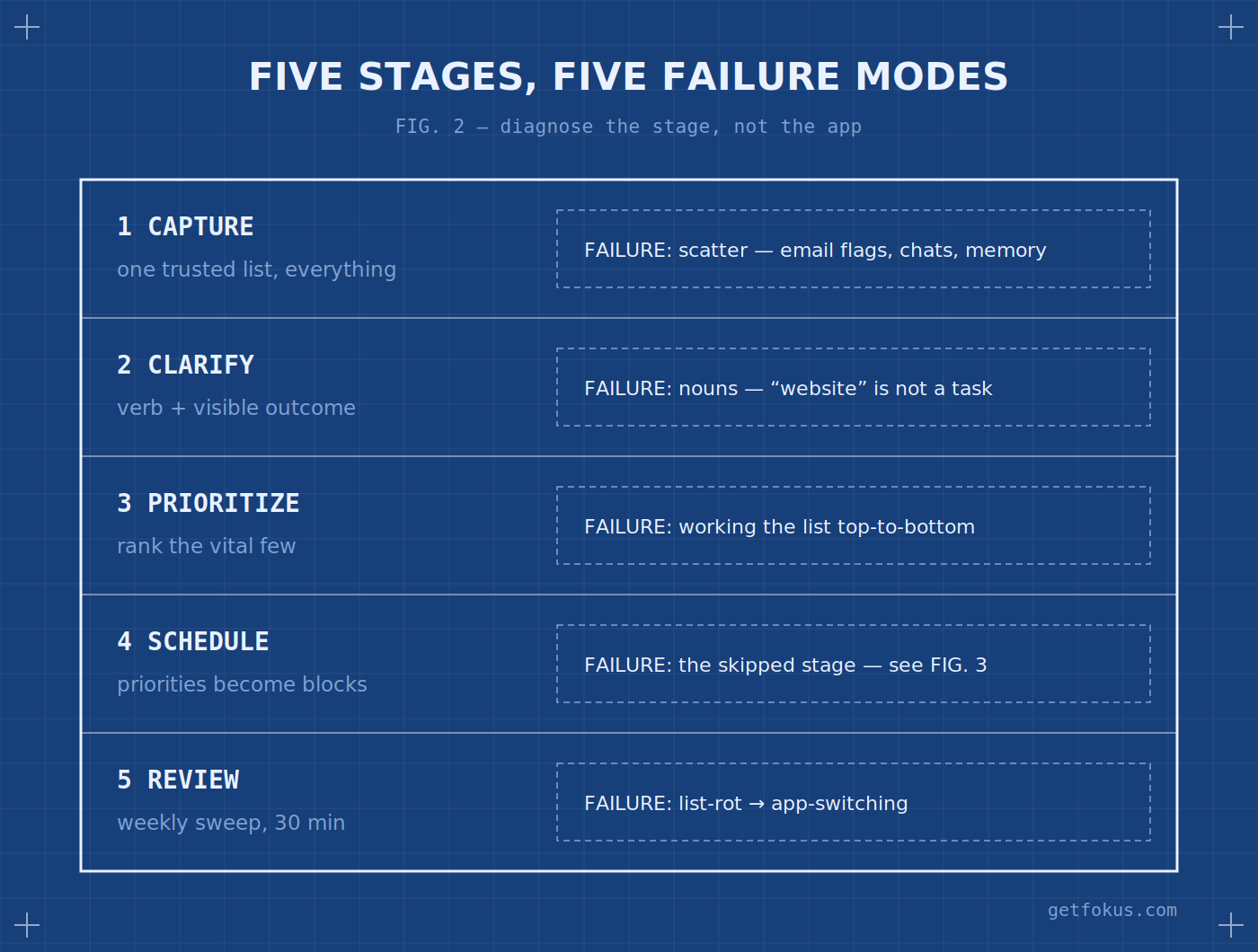
Tasks don’t fail randomly — they fail at a stage. Diagnose the stage, not the app.
The missing stage: tasks die between list and calendar
Here’s the diagnosis that explains most “I have a great system but nothing gets done” cases: a prioritized list still isn’t a plan. A list says what matters; only a schedule says when it happens — and between those two lives the gap where tasks quietly age. The mechanism is simple: calendar time is claimed by whoever writes on it, and meetings write themselves. A task that never becomes a calendar block competes for “free time” that structurally doesn’t exist. So the load-bearing habit of task management is the bridge: every A-priority task gets a block with a realistic duration, placed before the week fills. Duration is the part people fumble — tasks without time estimates make days unplannable, and estimates are a skill you only build by boxing tasks and watching them overrun. This bridge is, honestly, the reason Fokus exists as a product: tasks carry priority and duration, and the smart scheduling engine builds the bridge automatically — list in, realistic calendar out, re-planned when the day shifts. Whether software or Sunday-evening handwork does it, an unscheduled priority is just a well-organized wish.
Personal vs. team task management (different games)
Solo task management optimizes one brain’s attention. Team task management adds two hard problems that personal advice ignores. Visibility: work needs to be seeable — who owns what, what’s blocked, what’s done — which is where boards earn their keep (their real function is shared state, not personal motivation). Ownership: every task needs exactly one name on it; a task assigned to “the team” is owned by nobody, and a board full of unowned cards is a museum, not a system. The failure pattern to watch for in teams: the board becomes a reporting artifact (updated for standup theater) instead of a working one (consulted to decide what to do next). If updating the board feels like paperwork, the board has died; shrink it until it’s the actual source of truth again.
What actually matters in a tool
Now, briefly, the app question — with the criteria that matter once you think in lifecycle terms. Capture must be instant (two taps or it loses to memory, and memory drops things). Clarify needs due dates, durations, and priorities as first-class fields, not tags you invent. The schedule bridge is the differentiator: most to-do apps stop at the list, leaving stages 4–5 to you — an AI planner that writes tasks into the calendar closes the gap the whole article has been about. And review needs the system to show you what’s stale, not hide it. Beyond those four, features are taste. The best tool is the one whose lifecycle coverage matches where your tasks currently die — and no tool fixes a missing weekly review.
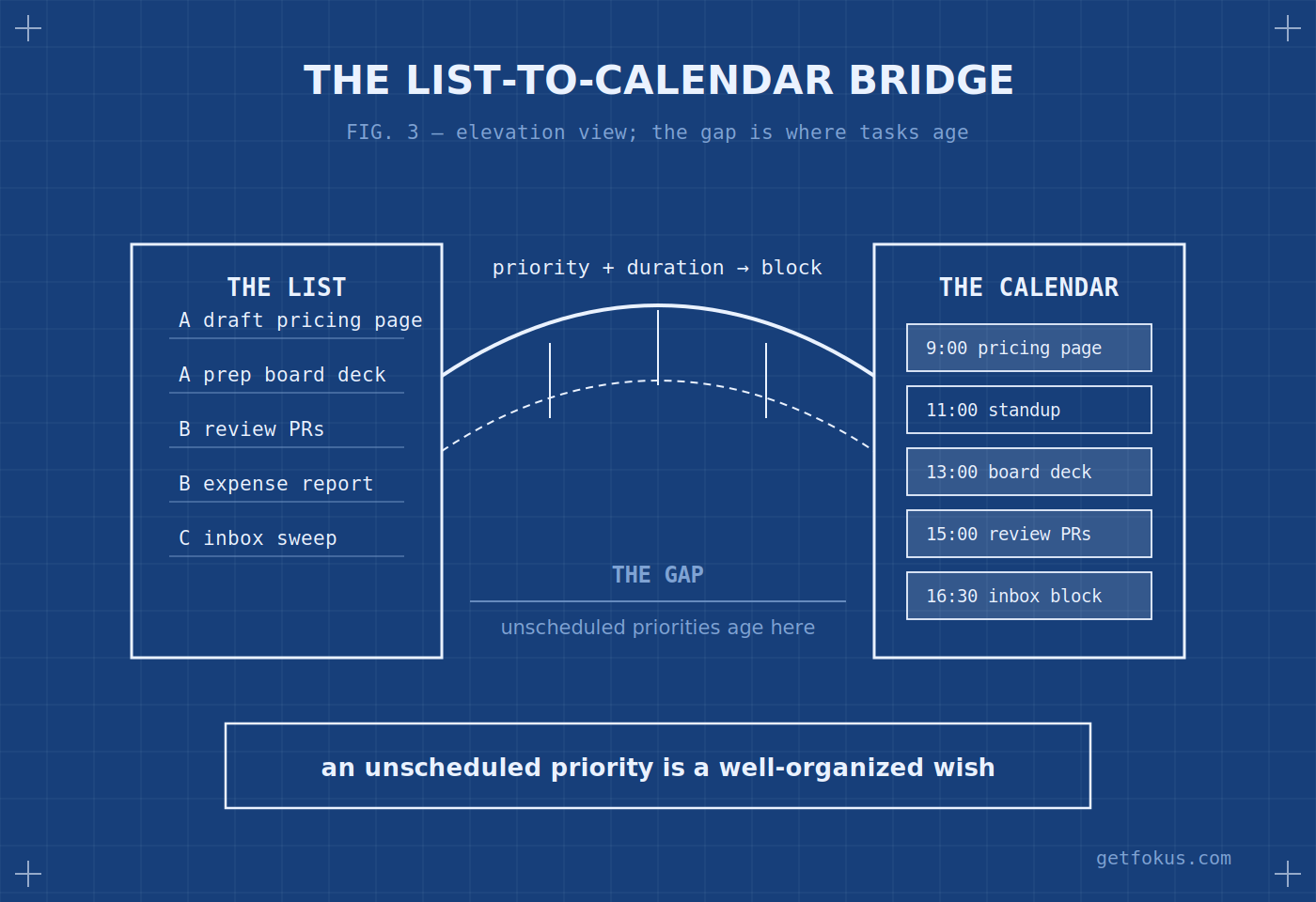
The bridge is the system. An unscheduled priority is a well-organized wish.
Task management FAQ
What is task management in simple terms? The process of moving every commitment through five stages — capture it, clarify it into an action, rank it, give it calendar time, and review it weekly — so work gets finished instead of merely listed.
What is the 3-3-3 rule for tasks? A daily template: three hours on your most important project, three urgent-but-smaller tasks, three maintenance chores. It’s a pre-packaged prioritize-and-schedule pass — a good starter shape for stages 3 and 4.
What’s the best task management tool? The one that covers the stage where your tasks currently die. If capture scatters, anything with instant entry helps; if tasks die between list and calendar — the most common case — you want a planner that schedules tasks as blocks, which is the job Fokus is built for.
What’s the difference between task management and project management? Scale and structure: project management coordinates many people’s tasks against milestones and dependencies; task management is the per-person lifecycle underneath it. Bad personal task management is why good project plans still slip.

Fokus Team
The Fokus Team
The team behind Fokus — building the smart productivity platform.