Time Blocking: The Complete Guide That Survives Your Day
Get the next article and product update in your inbox
Short product notes, fresh blog posts, and focus systems. No noisy sequence.

Most guides teach you how to build a beautiful time-blocked calendar at 8am. Almost none of them tell you what to do at 11:15, when a client call runs long and the beautiful calendar is already fiction. That gap is why so many professionals try time blocking, love it for a week, and quietly abandon it.
This guide covers the full method — the definition, the evidence, the setup — and then the part the top-ranking articles skip: how to keep a time-blocked day alive through interruptions, meeting-heavy weeks, and honest human misestimation, and how to actually measure whether it’s working.
What is time blocking?
Time blocking is a time management method where you divide your day into blocks of time and assign each block to a specific task or type of work — then treat those blocks like real appointments. Instead of working from an open-ended to-do list, you decide in advance when each thing happens: 9:00–10:30 proposal draft, 10:30–11:00 email, 11:00–12:00 team stand-up prep.
The mechanics take two minutes to learn:
- List what needs to happen today and pick the priorities.
- Put fixed events (meetings, appointments) on the calendar first.
- Give every remaining priority a start time, an end time, and a specific label.
- Leave 15–20% of your day unblocked as buffer — this is the step everyone skips, and it’s the one that keeps the system standing.
That’s the whole method. What separates people who stick with it from people who abandon it isn’t the setup — it’s how they handle steps 5 and 6, which most guides never mention: re-planning when the day breaks, and reviewing what actually happened.
Why time blocking works
Three well-documented effects do the heavy lifting.
It converts decisions into defaults. Research on implementation intentions — concrete “I’ll do X at time Y” plans — shows that people who decide when and where they’ll act follow through far more often than people with equally strong intentions and no schedule. A to-do list is a pile of open decisions; a time-blocked calendar is a set of decisions already made, which is exactly what you want by mid-afternoon when your decision quality drops.
It caps Parkinson’s law. Work expands to fill the time available. An unbounded “work on the report” task can eat a day; a 90-minute block with a hard edge forces scoping. Cal Newport, who popularized time blocking in Deep Work, estimates that a 40-hour time-blocked week produces the output of a 60+ hour unstructured one — an estimate, not a lab result, but directionally consistent with what the method removes: drift, re-deciding, and shallow-work sprawl.
It reduces context switching. Every switch between task types leaves attention residue. Grouping similar work into blocks — and protecting deep-work blocks from Slack — recovers time you don’t notice losing. We’ve written before about how a reactive, notification-driven state taxes your output; time blocking is the structural fix.
Time blocking vs. time boxing vs. task batching vs. day theming
Four related methods, one family. Time blocking reserves when a task happens. Time boxing caps how long it may take — a forcing function against perfectionism. Task batching groups similar shallow work (email, invoices, calls) into a single block to cut switching costs. Day theming scales the idea to a week: Monday for meetings, Tuesday for deep work, Friday for admin.
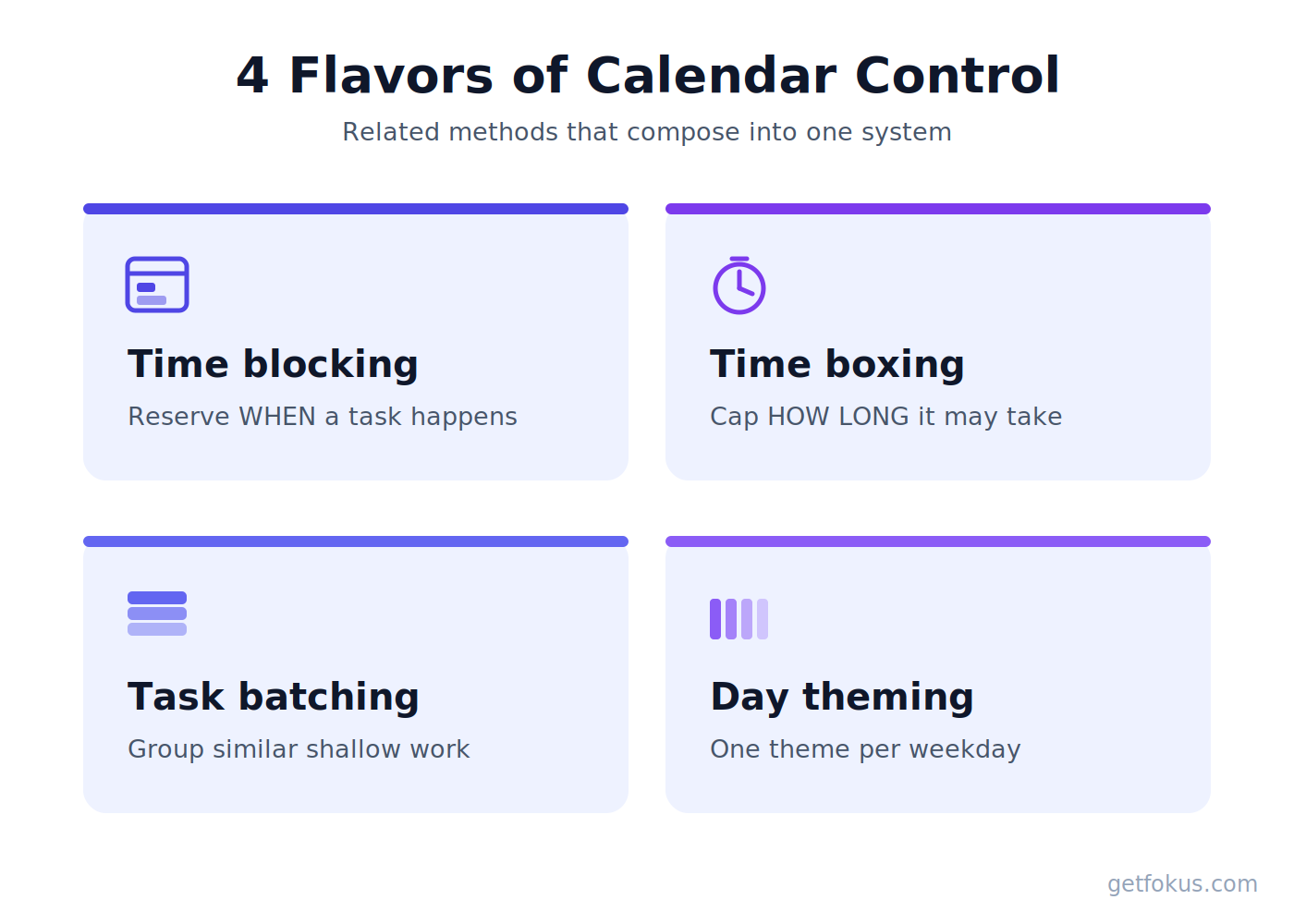
Four related methods, one family.
They compose: a themed Tuesday might contain three time blocks, one of which is a batched email block, time-boxed to 30 minutes. If you want the fine-grained comparison of the first two, we’ve covered time boxing vs. time blocking separately.
How to time block your day in 6 steps
Here’s the setup we actually use, refined by the failure modes below.
- Capture everything first. Get tasks out of your head and inboxes into one list before you touch the calendar. Prioritize with whatever method you trust — if everything feels urgent, start here.
- Anchor the immovables. Meetings and appointments go on first; they define the terrain your blocks fit into.
- Match deep work to peak energy. Schedule your hardest cognitive block in your best hours — for most people, the first two hours of the morning. Guard it like a meeting with your most important client, because it is.
- Batch the shallow work. One or two blocks for email, messages, and admin. Outside those blocks, notifications are off.
- Leave 15–20% unblocked. On an 8-hour day, that’s 60–90 minutes of deliberate slack. Stanford’s Center for Teaching and Learning recommends students keep as much as 15 hours per week entirely blank. Buffer isn’t wasted time; it’s where reality lands.
- End with a 5-minute shutdown review. What got done, what moves to tomorrow, what took longer than planned. This feeds the measurement loop below.
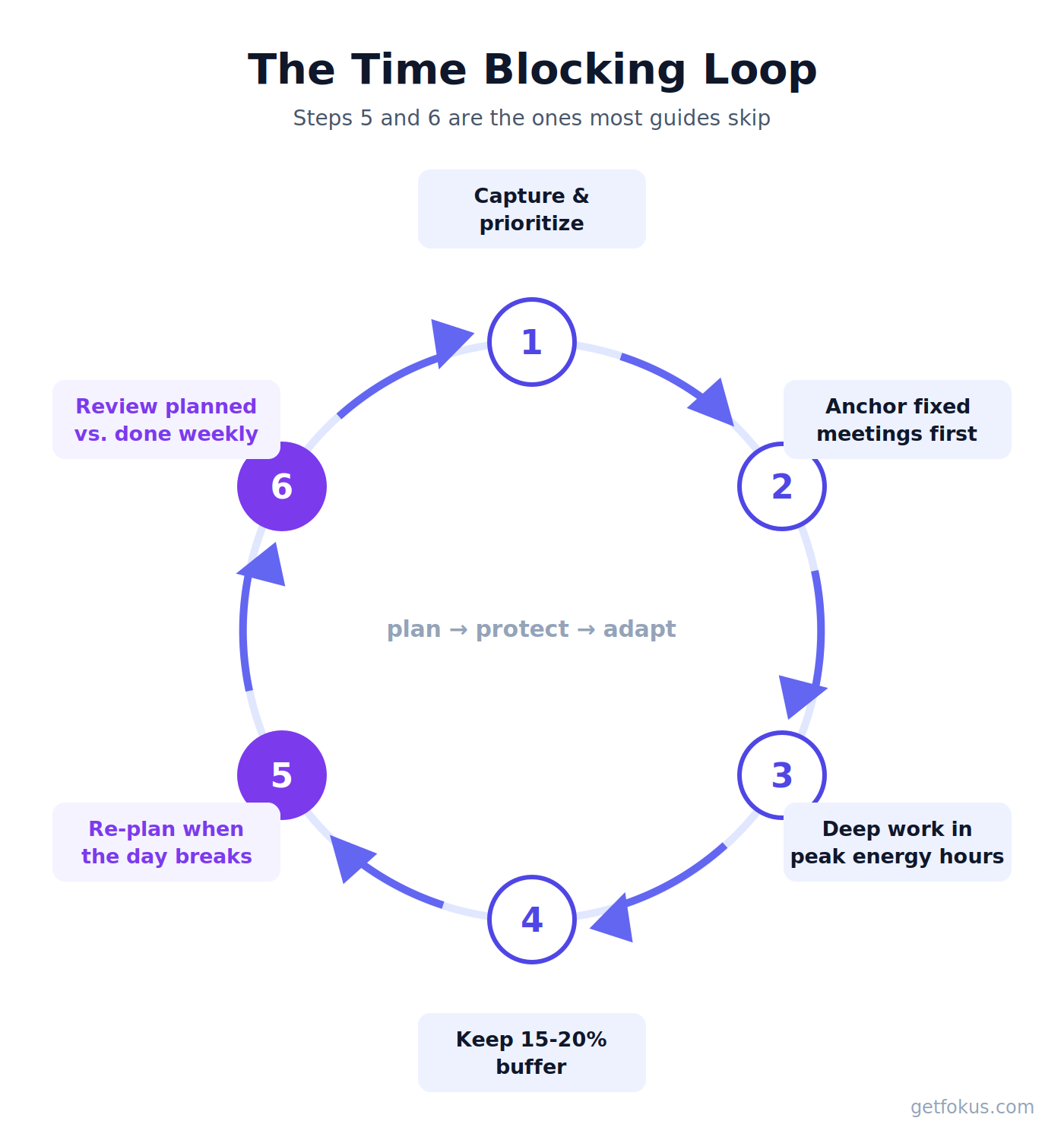
The loop that keeps the method alive: steps 5 and 6 are the ones most guides skip.
The 3-3-3 rule and other time blocking frameworks
Searches around time blocking keep surfacing a few named frameworks, so here’s what they actually are:
The 3-3-3 rule (from Oliver Burkeman): spend three hours on your most important project, then complete three shorter urgent tasks, then three maintenance activities. It’s time blocking with training wheels — a good starter template because it caps deep work at a realistic three hours instead of an aspirational six.
Elon Musk’s 5-minute rule is extreme time boxing: the day divided into five-minute slots, each pre-assigned. It works with an executive assistant and a cost structure where CEO minutes are worth four figures; for most professionals it produces schedule-maintenance overhead that outweighs the gains. Borrow the principle (small, specific commitments), not the grain size.
Day theming is the framework that scales best for managers — if your Tuesdays and Thursdays are meeting days by design, your team learns to route around your deep-work days.
Is time blocking good for ADHD?
Both answers you’ll find online are true, and the difference is in the implementation.
The case for: time blocking externalizes the schedule. Instead of holding “what should I be doing now?” in working memory — exactly the function ADHD taxes — the calendar answers it. Visual structure, clear start cues, and pre-made decisions reduce task-initiation friction and decision paralysis.
The case against: a rigid, fully-packed grid is a machine for generating failure feelings. One missed block cascades, the plan is “ruined by 10am,” and the whole system gets abandoned — a pattern you’ll find in nearly every ADHD thread about time blocking on Reddit.
What tends to work: fewer, bigger blocks (2–3 per day, not 12); buffers of 25–30% rather than 15; alarms as block-start cues; and treating a broken plan as something you re-plan at midday rather than evidence the method failed. If that re-planning step is itself the hard part, this is the strongest case for tools that rebuild the schedule for you — more on that below.
When time blocking fails — and how to fix it
Time blocking has four classic failure modes. Every one of them is fixable, and none of the fixes is “try harder.”
Over-scheduling. You block 8 hours of an 8-hour day, an interruption arrives, and the plan is dead by mid-morning. Fix: the 15–20% buffer, treated as non-negotiable.
Estimate inflation. Tasks reliably take about 1.5× what we plan — the planning fallacy is one of the most replicated findings in behavioral science. Fix: track actuals for two weeks, then apply your personal multiplier when you block. (A useful trick from MeisterTask’s guide: estimate how long the task would take a colleague — you’ll be more honest.)
Calendar-as-fiction. The plan is made at 8am and never touched again, so by afternoon the calendar describes a day that no longer exists. Fix: a 60-second midday re-plan. When a block breaks, don’t abandon the system — move what still fits, push what doesn’t, shrink what can shrink. Newport re-plans mid-day like a chess game; the plan is disposable, the planning isn’t.
Blocking without prioritizing. A perfectly scheduled day of the wrong tasks. Fix: prioritization happens before calendar Tetris, not during — the ABCDE method takes five minutes.
That third failure mode is worth dwelling on, because it’s where the method most often dies for professionals — and it’s a mechanical problem, not a motivational one. Re-planning is exactly the kind of constraint-shuffling computers are good at. This is the problem we built Fokus around: its AI auto-scheduling rebuilds the remaining day when a meeting runs long or a task overflows, so the calendar keeps describing reality instead of the morning’s optimism. If you’d rather re-plan by hand, the method still works — the non-negotiable is that someone re-plans, you or the software.
Time blocking with a meeting-heavy calendar
The standard objection: “My calendar is Swiss cheese — 30 free minutes here, 45 there. Where do the blocks go?”
Three moves make time blocking work anyway:
- Claim recurring anchors. Find the 2–3 largest reliably-free windows in your week and make them standing deep-work blocks before others book them. One protected 90-minute block beats six scattered 25-minute intentions. Calendar tools with focus time protection can defend these automatically.
- Assign the fragments. 20–30 minute gaps are batching gold: email, reviews, quick calls. The failure is treating them as deep-work slots — they aren’t, and pretending burns both the gap and your morale.
- Use floating blocks. For reactive roles (support, account management), block categories rather than tasks — “2:00–3:30: respond to whatever today produced.” Newport’s point stands: even reactive work benefits from being scheduled instead of ambient.
How to tell if time blocking is actually working
“Is time blocking actually effective?” deserves a better answer than testimonials — and none of the top-ranking guides offers one. Run a personal experiment with three numbers from your shutdown review:
- Completion rate: blocks finished as planned ÷ blocks scheduled. Healthy is 70–85%. Above 90% means you’re sandbagging; below 50% means blocks are too big or buffer too small.
- Carry-over rate: tasks pushed to tomorrow ÷ tasks planned. Rising carry-over is over-scheduling announcing itself early.
- Deep-work hours per week: the number most worth growing — it’s the one that correlates with output you’re proud of.
Two weeks of data beats any productivity influencer’s opinion, including ours. If completion is high, carry-over low, and deep-work hours up versus your pre-blocking baseline, keep going. If not, adjust block size and buffer before abandoning the method.
From Google Calendar to AI planners: choosing your tool
Google Calendar is the free, manual baseline — fine for trying the method this week. Its limits appear exactly at the failure modes: nothing re-plans, nothing protects, nothing learns your estimates.
Guided daily planners like Sunsama excel at the ritual layer — a deliberate morning plan and evening shutdown. Consolidators like Akiflow shine at capture, pulling tasks from every tool into one place to block from. Both are genuinely good at what they optimize for.
AI schedulers — Motion, Reclaim, and Fokus among them — automate the re-planning layer: tasks carry durations, deadlines, and priorities, and the calendar rebuilds itself when reality intervenes. Fokus’s particular bet is combining that auto-scheduling with the context of the tools your work already lives in, so the plan is built from real workload rather than a manually retyped list. The honest guidance: if you relish full manual control, start with a guided planner; if your days are volatile, automation pays for itself in un-abandoned plans.
Whichever tool you pick, the method carries: anchor, buffer, batch, re-plan, review.
Time blocking FAQ
What exactly is time blocking, in one sentence? Assigning every important task a specific start and end time on your calendar, instead of working from an open-ended list.
How many blocks should a beginner start with? Two: one deep-work block in your peak hours, one batch block for shallow work. Add more only after those two survive a full week.
Do I need a template or PDF? No — your calendar is the template. If you want a starting structure, use the 3-3-3 rule for the first week.
Should I block evenings and weekends? Block rest deliberately or work will colonize it — that’s Parkinson’s law again. A “no work” block is still a block.
How long until it feels natural? Give it two honest weeks with the measurement loop above. Most abandonment happens on day three, at the first broken plan — which is a re-planning problem, not a you problem.

Fokus Team
The Fokus Team
The team behind Fokus — building the smart productivity platform.