Weekly Planning: A 30-Minute Routine That Survives Monday
Get the next article and product update in your inbox
Short product notes, fresh blog posts, and focus systems. No noisy sequence.

Search for weekly planning and you get two things: printable templates and morning-routine influencers. Both miss the point. A template is a place to write a plan; it isn’t a system for making one — and it certainly isn’t a system for what happens Wednesday morning when the plan is already dead. This guide is the actual routine: five steps, about thirty minutes, one weekly appointment with yourself — plus the two pieces almost every article skips: the mid-week correction ritual, and what to do differently if your week belongs mostly to other people.
Why the week is the magic unit
The day is too small to plan strategically — one fire alarm and the day’s plan is fiction, which is why daily plans break so reliably. The quarter is too big to feel — nobody experiences “Q3,” so quarterly goals drift until panic season. The week is the largest unit you can actually see from inside: big enough that priorities matter more than moods, small enough that a bad plan only costs you five days. Plan the week strategically, and daily planning collapses into a two-minute confirmation instead of a nightly renegotiation with your conscience.
The 30-minute routine, step by step
Book it as a recurring appointment — Friday afternoon (best: the week is fresh and Monday starts pre-decided) or Sunday evening. The routine dies as a floating intention; it lives as a fixed ritual.
1. Review the week that ended (5 min). Three questions: what got done, what carried over, what ate time it shouldn’t have? Carry-overs are diagnostic gold — a task rolled three weeks isn’t unlucky, it’s mis-scoped, unimportant, or being avoided, and each cause has a different fix. The review is what makes next week’s plan smarter than last week’s; skip it and you’re not planning, you’re re-guessing.
2. Collect everything into one list (5 min). Task app, inbox flags, meeting notes, the sticky note, your head. Every open loop, one list. Planning from three half-lists produces the classic weekly-plan bug: the forgotten commitment that detonates on Thursday.
3. Prioritize — pick three, then rank the rest (10 min). Three weekly priorities. Not eight; if everything is a priority you’ve made a wish list, not a plan. Force the cut with a fast ABCDE pass and remember the 80/20 audit’s lesson: the highest-impact work is usually quiet and never urgent. It gets scheduled first or it doesn’t happen at all.
4. Schedule the priorities as calendar blocks (5 min). Here’s where most routines silently fail — they end with a beautiful ranked list, and a list has no defense against a calendar that fills itself. Each priority gets real time blocks, placed in your best-energy hours before the week’s meeting-shrapnel claims them. Deadlines and appointments go in too. The list says what matters; only the calendar makes it true.
5. Buffer — the step that separates plans from fiction (5 min). Count your blocked hours. If they exceed about 70% of your realistically free time, cut now, at the planning table, while it’s cheap — not on Thursday when it’s a triage. A plan that needs a perfect week isn’t a plan; it’s a bet against the house.
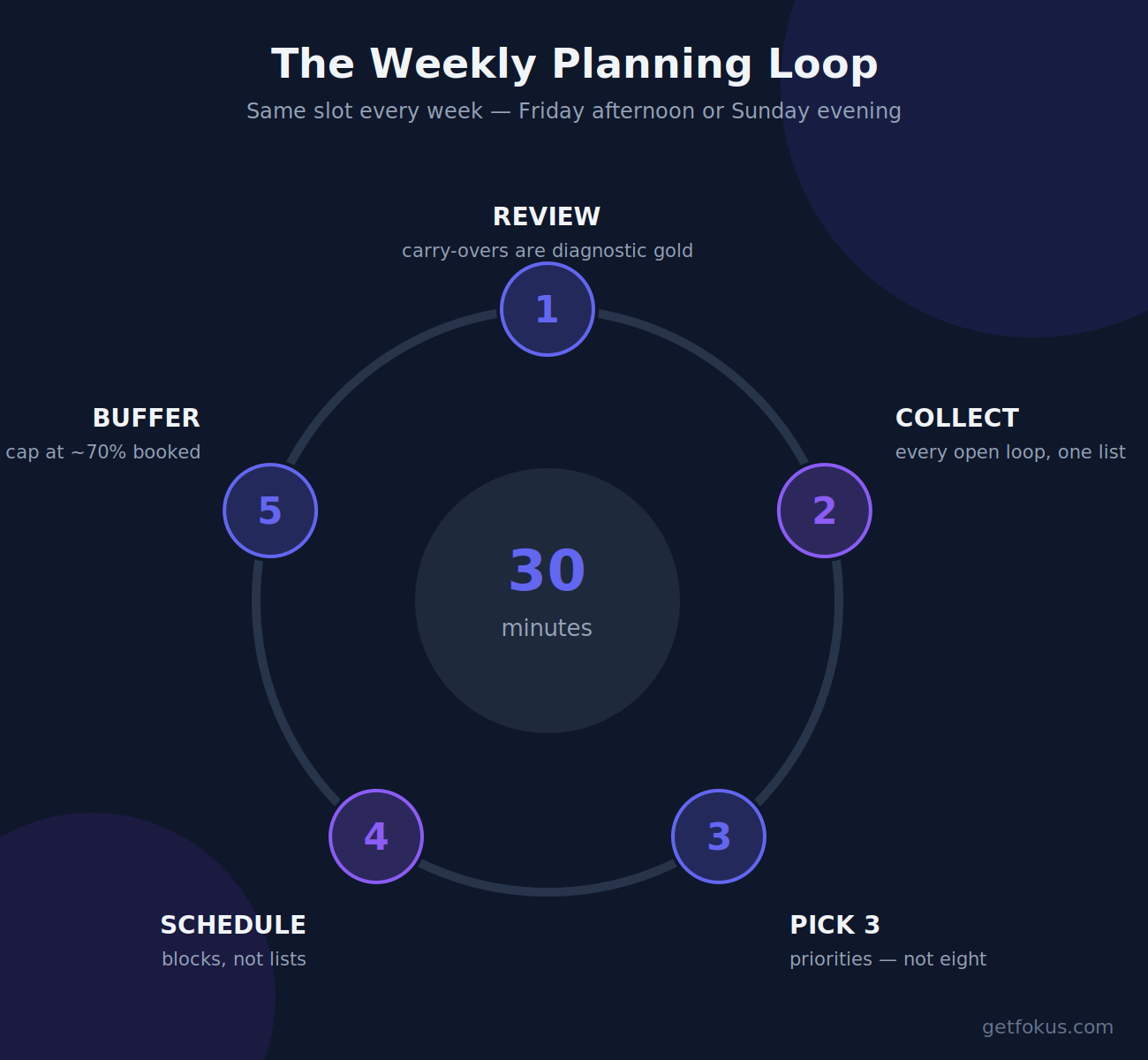
Thirty minutes, five steps — and the plan ends on the calendar, never on a list.
The mid-week correction (the missing ritual)
Every weekly plan meets reality by about Tuesday, and the fork in that moment decides everything: people either abandon the plan entirely (“this week is a wash”) or grind themselves against a schedule that no longer exists. Both are wrong. The fix is a scheduled ten-minute Wednesday checkpoint: compare plan to actual, re-place the displaced priority blocks into the remaining days, and consciously demote what no longer fits — choose what falls off instead of letting Friday choose it for you. A re-planned week is a healthy week; only an un-replanned one is a failure. This, honestly, is the strongest argument for making software do the re-placement: when a meeting overruns in Fokus, the smart scheduling engine rebuilds the remaining week around your priorities automatically — the Wednesday checkpoint happens continuously, without depending on your discipline surviving Wednesday.
If your calendar belongs to other people
The standard routine quietly assumes you control your hours. Managers, support leads, and parents mostly don’t — so adjust the dials, not the system. Plan fewer priorities (one or two, not three) into the islands you actually control, and mark the islands honestly: two real hours you own beats six theoretical ones you don’t. Batch the reactive load into dedicated response blocks so it stops perforating everything else. And raise the buffer to 40–50% — a reactive role doesn’t mean you can’t plan, it means the plan must be built for weather.
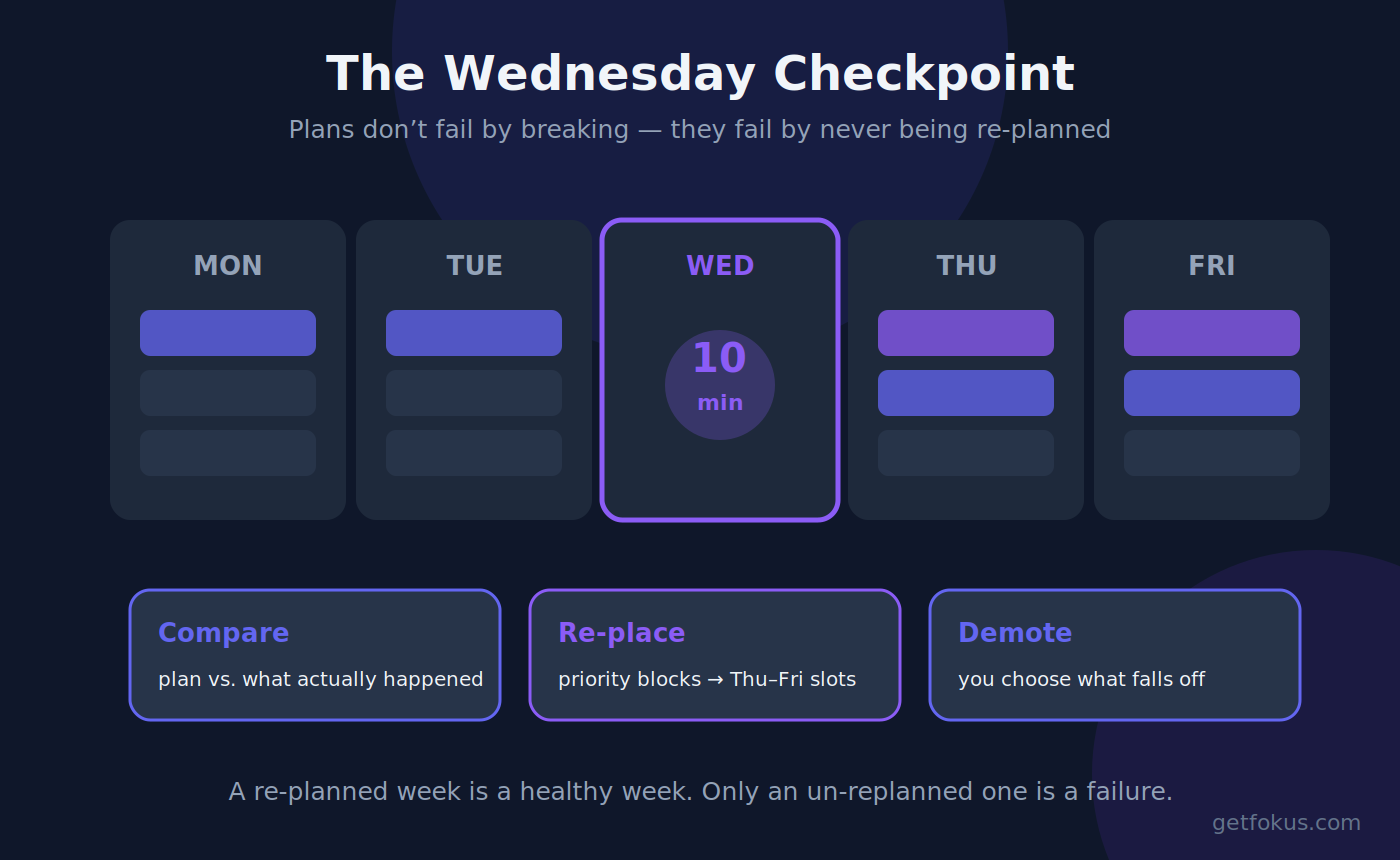
Plans don’t fail by breaking — they fail by never being re-planned.
Make it lighter, not heavier
A warning from years of doing this: the routine attracts ceremony. Color-coding, elaborate templates, hour-long “planning sessions” that are really procrastination in a productivity costume. Resist. The five steps above are the load-bearing structure; everything else is decoration, and every added minute of ceremony makes the routine more skippable. The version you’ll still run in six months is the boring one — thirty minutes, same time, calendar open. If a step consistently takes longer, that’s usually analysis paralysis wearing a planner costume: set the timer, satisfice, move.
Weekly planning FAQ
What should a weekly plan include? Last week’s review, one consolidated task list, three ranked priorities, calendar blocks for those priorities plus deadlines, and 30% free buffer. If it’s not on the calendar, it’s not in the plan.
When is the best time to plan the week? Friday afternoon, while the week is fresh and so Monday starts decided. Sunday evening is the popular runner-up; the honest answer is whichever slot you’ll keep weekly.
How long should weekly planning take? About 30 minutes once the routine is established, plus a 10-minute Wednesday checkpoint. If it regularly takes over an hour, you’re decorating, not planning.
Is there an app for weekly planning? Any calendar plus any task list technically works. The step tools genuinely automate is the fragile one — keeping priority blocks alive when the week shifts — which is what an AI planner like Fokus does by re-scheduling blocks around changes automatically.

Fokus Team
The Fokus Team
The team behind Fokus — building the smart productivity platform.