AI Assistants: Pick the Right Type Before the Right Tool
Get the next article and product update in your inbox
Short product notes, fresh blog posts, and focus systems. No noisy sequence.

Search for AI assistants and you’ll drown in listicles — 15 best, 20 best, 31 best. They all make the same mistake: comparing tools before asking what job you’re hiring one for. ChatGPT and a scheduling assistant like Fokus or Reclaim barely compete; ranking them against each other is like ranking a truck against a dishwasher. So this guide does the ranking differently. First the four types of AI assistants and the job each one is built for, then the failure modes the listicles skip, then a picking framework that starts from your week instead of a feature grid.
What an AI assistant actually is (and isn’t)
An AI assistant is software that takes natural-language input — typed or spoken — and does work with it: answers, drafts, summaries, or actions in other tools. The “actions” part is what separates the current generation from the Siri era. Older voice assistants matched your words to a fixed menu of commands; modern assistants use large language models to interpret intent, which means they can handle requests nobody pre-programmed.
What an AI assistant isn’t: a mind reader or a manager. Every one of them works from the context you give it, and the quality of what comes back tracks the quality of what went in. That single fact explains most disappointment with these tools — and most of the picking framework below.
The four types of AI assistant
1. Conversational generalists — ChatGPT, Claude, Gemini. Chat-first tools that draft, summarize, brainstorm, explain, and increasingly research and reason. The job: thinking work. Anything that starts as a blank page or a messy question. Their weakness is that they live in a chat window — they don’t know your calendar, your task list, or what you promised your boss on Tuesday unless you paste it in or connect it.
2. Ecosystem integrators — Microsoft Copilot, Google Gemini inside Workspace. The same intelligence embedded where your files already live: Copilot drafts inside Word and summarizes in Outlook; Gemini does the equivalent in Docs and Gmail. The job: shaving minutes off work you already do in those apps. The trade-off is depth — embedded assistants are convenient rather than brilliant, and they’re gated behind your company’s subscription and admin settings.
3. Research assistants — Perplexity and friends. Built for questions where the answer needs sources: they search, read, and answer with citations. The job: replacing the first hour of googling. Not built for planning your day or drafting in your voice.
4. Planning and scheduling assistants — Fokus, Motion, Reclaim. The category the listicles understand least, because the AI here isn’t a chat window — it’s an engine that takes your tasks, priorities, and calendar and builds an actual plan. The job: turning a to-do list into a realistic schedule and rebuilding it when reality interferes. This is the type we build: Fokus’s smart scheduling places tasks into real calendar blocks around your meetings and re-plans when the day breaks, and Captain Fokus is the conversational layer on top — “plan my week” is a valid input. The honest limitation of the whole category: a scheduling assistant is only as good as the task list you feed it, which is why it complements a generalist rather than replacing it.
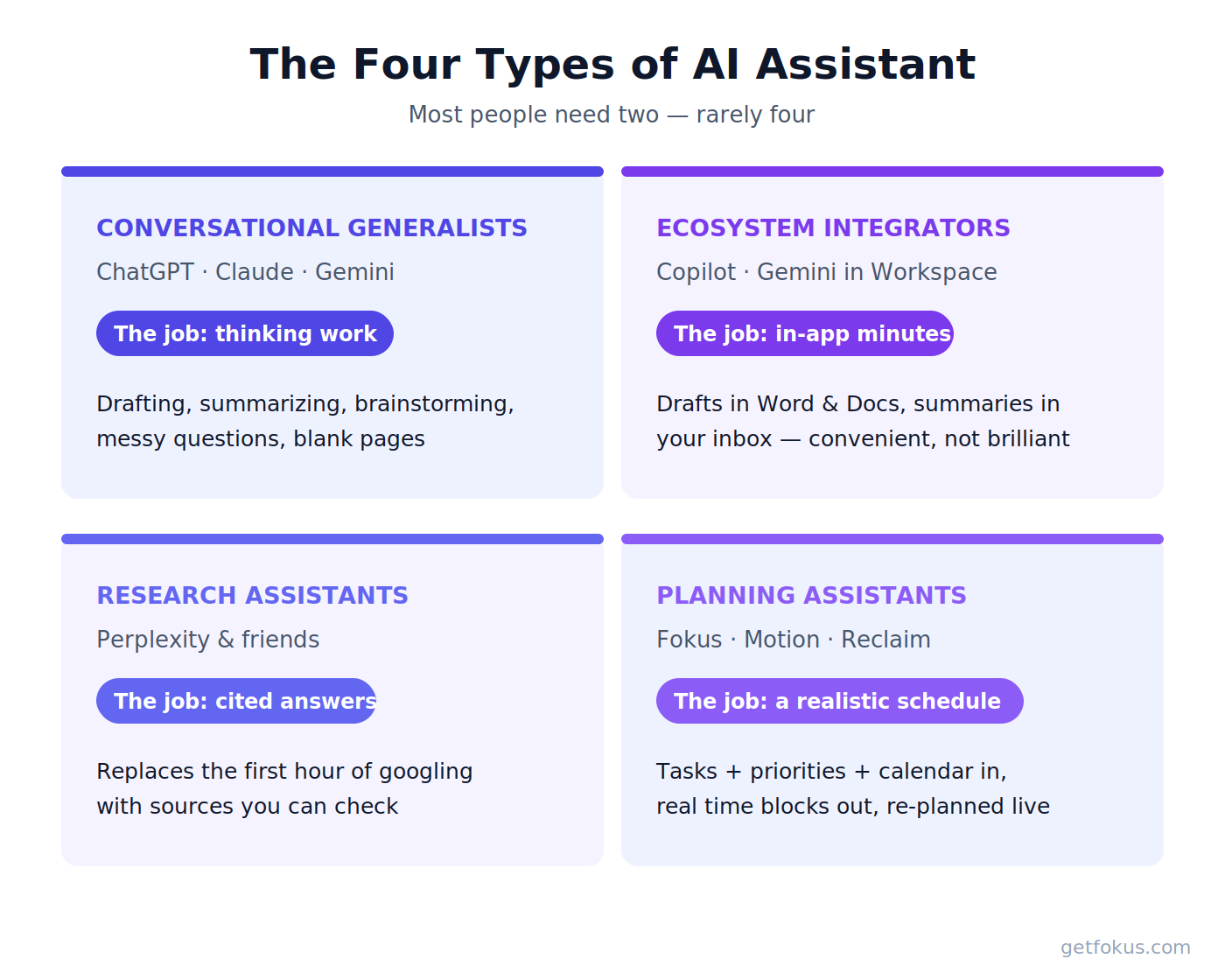
Four types, four different jobs. Most people need two — rarely four.
Where AI assistants still fail
The listicles won’t tell you this part, so here it is from people who build one.
They state wrong things confidently. Language models generate plausible text, and plausible is not the same as true. Verify anything factual that matters — dates, numbers, names, citations. Research-type assistants reduce this by citing sources; they don’t eliminate it.
They forget. Every assistant has a context limit. Long conversations lose their beginnings, and most tools remember little between sessions unless memory features are on. Treat each session as a briefing, not a relationship.
Generalists don’t know your world. Unless connected to your calendar and tools, a chat assistant plans a fictional day for a fictional person. The most common failure mode we see: beautifully drafted plans in a chat window that never touch a real calendar — planning theater with better production values. If the output of your assistant is supposed to be time, pick a type-4 tool that writes to the calendar directly.
They add up. Three subscriptions at $10–20 each is real money for overlapping capabilities. Which is why you pick by job, not by fear of missing out.
How to choose: start from your week
Skip the feature grids. Look at last week and find the hours you resent losing:
- Hours lost to drafting, summarizing, or staring at blank pages → a conversational generalist. Start with free tiers of ChatGPT, Claude, or Gemini; upgrade the one you reach for daily.
- Hours lost inside Office or Workspace docs → the integrator you already half-own through your company plan. Try it before buying anything else.
- Hours lost to research and fact-finding → a citation-first research assistant.
- Hours lost to deciding what to work on, re-planning after meetings, or ending the day with the important thing untouched → a planning assistant. This failure mode feels like a discipline problem but is actually a tooling problem — we wrote about why static planning breaks no matter how disciplined you are.
Then run a two-week test with three numbers: hours actually saved (be honest), outputs you shipped without heavy rewriting, and whether the important work happened more often. An assistant that fails all three isn’t your assistant, whatever the listicle said. If what you’re really choosing is a broader stack — task manager, calendar, notes — our best productivity apps guide covers how the pieces fit together.
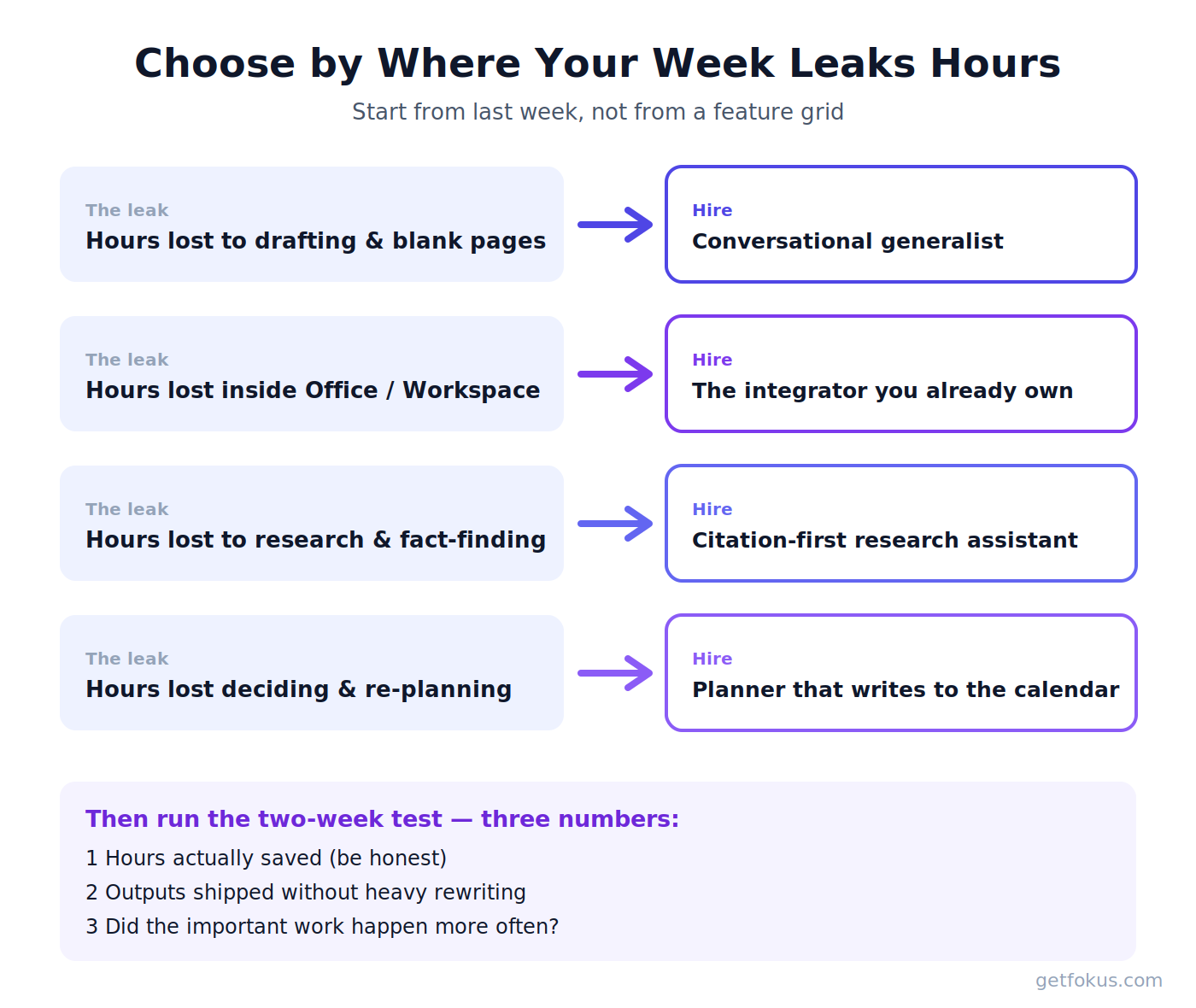
Match the assistant to the leak in your week, then measure for two weeks.
The quiet shift: from answering to doing
One real trend hides under the hype: assistants are moving from answering questions to completing tasks — booking, scheduling, filing, coordinating across apps. The industry calls these “agents,” and every type on this list is drifting that way. Scheduling assistants got there first because the domain is constrained: a calendar has rules, so an AI can safely act on it. That’s the practical way in — let an assistant act where mistakes are cheap and visible (your own schedule), keep it advisory where they aren’t (anything a client sees). Expand as trust earns itself. Trust is built per-task, not per-brand.
AI assistants FAQ
What is the best AI assistant? Wrong question — best for which job? Generalist: ChatGPT, Claude, and Gemini lead. Research: Perplexity. In-document work: Copilot or Gemini, depending on your suite. Daily planning: a scheduling assistant like Fokus that turns tasks into calendar blocks.
Is there a free AI personal assistant? Every major generalist has a capable free tier, and free tiers of planning tools (including Fokus) cover the core scheduling loop. Start free, pay only when a specific limit annoys you weekly.
Is any AI better than ChatGPT? For some jobs. Claude is often preferred for long documents and writing, Perplexity for cited research, Gemini for Google-native workflows. For scheduling, any type-4 tool beats a chat window, because it acts on your calendar instead of describing one.
How do I get an AI assistant to help me? Give it real context (paste the messy details), ask for a specific deliverable, iterate instead of accepting draft one — and for planning, connect the real calendar and task list. Vague briefing in, vague help out.

Fokus Team
The Fokus Team
The team behind Fokus — building the smart productivity platform.