We Tested the Best Productivity Apps of 2026 So You Don’t Have To — Here Are Our Top 10
Our collective brain often feels like a browser window with 42 tabs open. We’ve spent more hours organizing our work than actually doing it, searching for that one magical tool that will finally fix our lives. Sound familiar?
The good news is that after weeks of deep diving, testing, and obsessively tweaking settings as a team, we’ve found the tools that actually live up to the hype. We aren’t looking for shiny toys here; we’re looking for “Operating Systems” for your life—tools that help you focus, plan, and execute without the headache.
Here are the best productivity apps that earned a permanent spot on our dock in 2026.
1. Notion 🧱
The “Build Your Own Life” Lego Set
 📝 The Review: If you haven’t heard of Notion, you’ve probably been living under a rock (without wifi). But in 2026, it’s evolved from a simple note-taking app into a full-blown “Cognitive Operating System.” For many teams and individuals, it serves as a central hub for planning, collaboration, and keeping work organized.
The biggest game-changer lately has been the new Notion Mail. Yes, they finally integrated email. Now, you can turn a client email directly into a task in our project database without alt-tabbing 50 times a day. It’s a bit of a setup process, but once it clicks, it feels like having superpowers.
✨ Our Favorite Features:
- Notion Mail: Treat emails like database items. Finally!
- Databases: Highly customizable tables that can look like calendars, boards, or lists.
- Q&A: Ask questions about your own notes (e.g., “What was the feedback on the Q3 project?”).
💰 Cost:
- Free: Generous free plan for individuals.
- Plus: ~$10/seat/month. limited AI features.
- Business: ~$20/seat/month.
2. Rize ⏱️
The Fitbit for Your Work Life

📝 The Review: We’ll be honest: we thought time-tracking was just for lawyers until we tried Rize. Unlike those annoying timers you have to start and stop manually, Rize runs quietly in the background and tracks everything you do. It tells us exactly how much time we spent coding versus doomscrolling on Twitter.
It gives you a “Focus Score” at the end of the day, which appeals to our competitive side. It even nudges you to take a break when you’ve been grinding for too long. It’s shocking to see where your time actually goes, but you can’t fix what you don’t measure!
✨ Our Favorite Features:
- Passive Tracking: No manual timers. It just works.
- Focus Quality Score: Gamifies your attention span.
- Break Notifications: Prevents burnout before it happens.
💰 Cost:
- Standard: ~$12.99/month (annual billing).
- Professional: ~$19.99/month (annual billing).
3. Todoist ✅
The “Get It Out of Our Heads” App
 📝 The Review: If you need to jot something down fast before you forget it, Todoist is our weapon of choice. Its superpower is “Natural Language Processing.” You can type “Submit report every Friday at 4pm #Work” and it instantly sets the due date, recurring schedule, and project tag.
It’s simple, clean, and fast. You can use it for everything from “Buy coffee beans” to “Draft quarterly review.” While it doesn’t have the fancy database features of Notion, it’s vastly superior for pure, unadulterated task capture.
✨ Our Favorite Features:
- Quick Add: The fastest input in the game.
- Karma: Points for completing tasks (yes, we are easily motivated by fake internet points :) ).
- Filters: Create custom views like “Work tasks due today.”
💰 Cost:
- Free: Solid for starters.
- Pro: ~$5/month (unlocks reminders and more projects).
4. Granola 🎙️
The Not-Creepy Meeting Assistant

📝 The Review: Almost everyone hates taking meeting notes. you’re either typing so fast we miss the conversation, or you’re listening and forgetting to write things down. Granola fixes this without being one of those awkward “bots” that joins your Zoom call. It runs natively on your Mac, recording the audio and transcribing it.
But the magic is the AI synthesis. It doesn’t just give you a wall of text; it gives you a polished summary, key decisions, and action items. It feels like having a really sharp executive assistant sitting next to you.
✨ Our Favorite Features:
- No Bots: It records system audio, so it’s invisible to other attendees.
- Templates: Custom note formats for sales calls, stand-ups, etc.
- Polished Summaries: Converts rough bullet points into professional notes.
💰 Cost:
- Free: limited meetings lifetime.
- Pro: $14/user/month.
5. Obsidian 🧠
The Private “Second Brain”
 📝 The Review: If you’re a nerd about data privacy (like some of us), Obsidian is the holy grail. It stores all your notes as plain text files right on your computer—not in the cloud. This means if the company goes bust tomorrow, you still have all your work.
You can use it for deep research and connecting ideas. The “Graph View” looks like a constellation of your thoughts, showing you how your notes link together. It takes a bit of tinkering to set up, but once you do, it’s incredibly powerful.
✨ Our Favorite Features:
- Local-First: You own your data. Period.
- Graph View: Visualize your knowledge network.
- Community Plugins: Thousands of add-ons to do almost anything.
💰 Cost:
- Free: For personal use.
- Sync: $4/month (to sync across devices easily).
Fokus — The Unified Daily Planner with A True AI Companion
A New Approach to Control Your Day
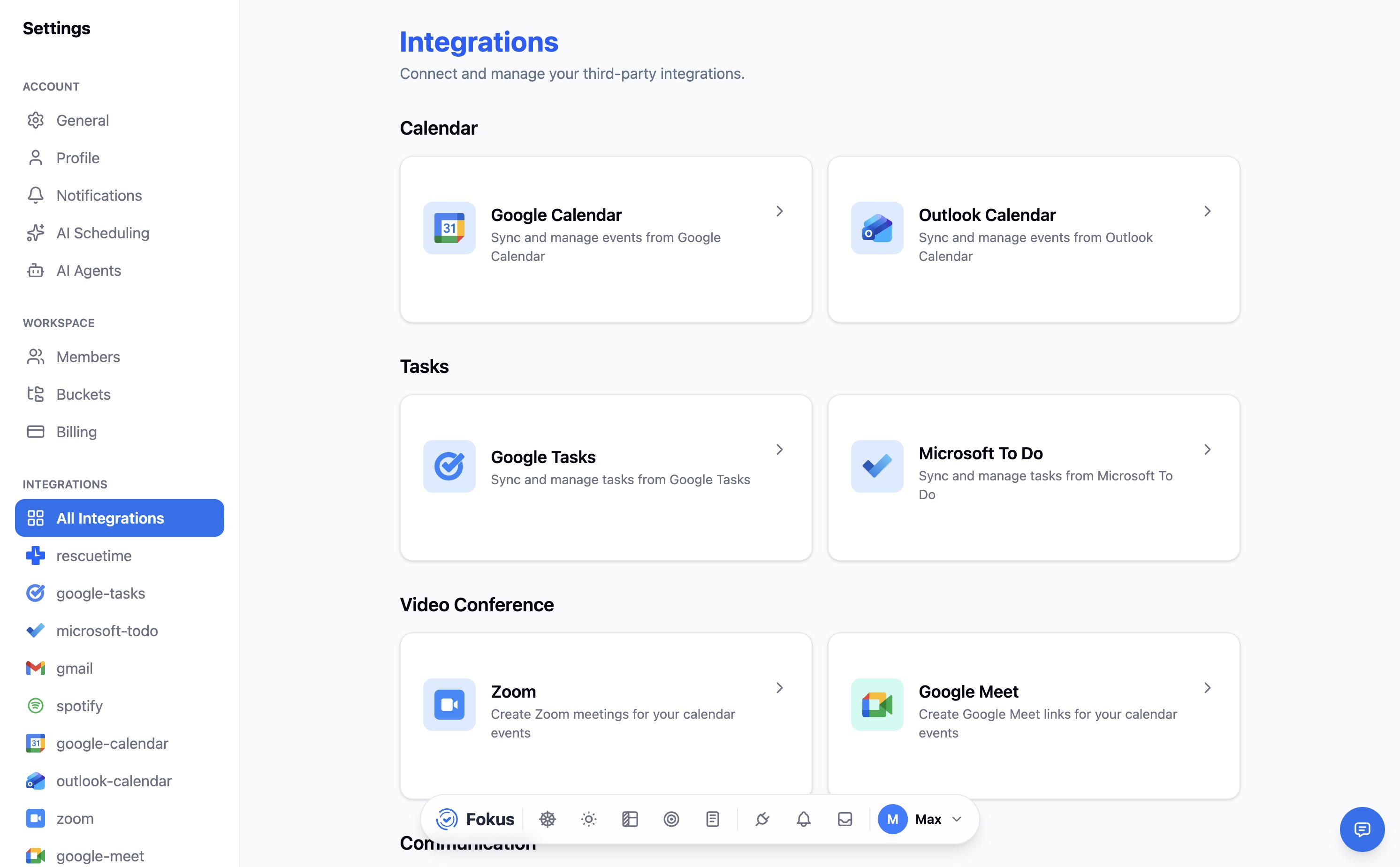
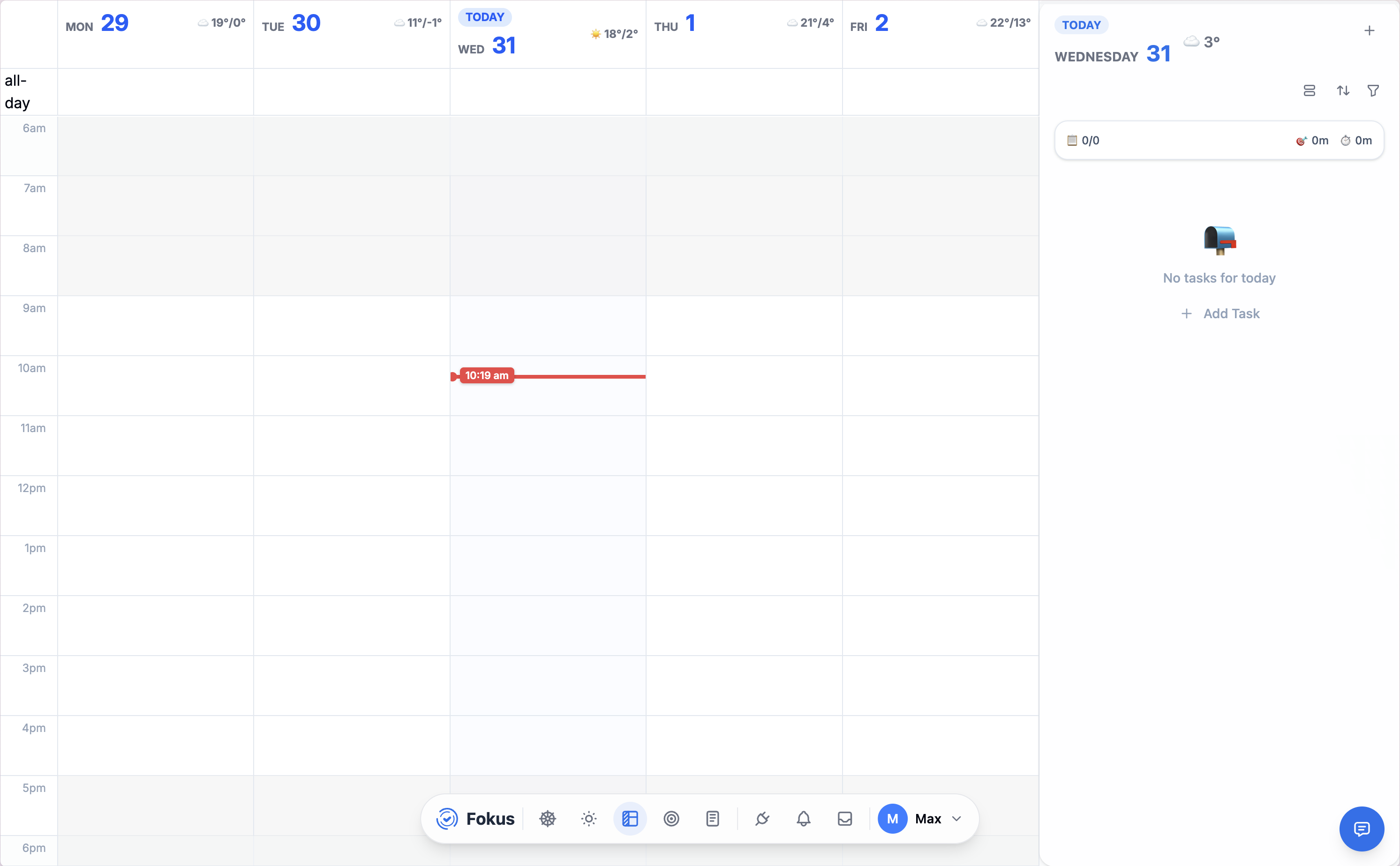
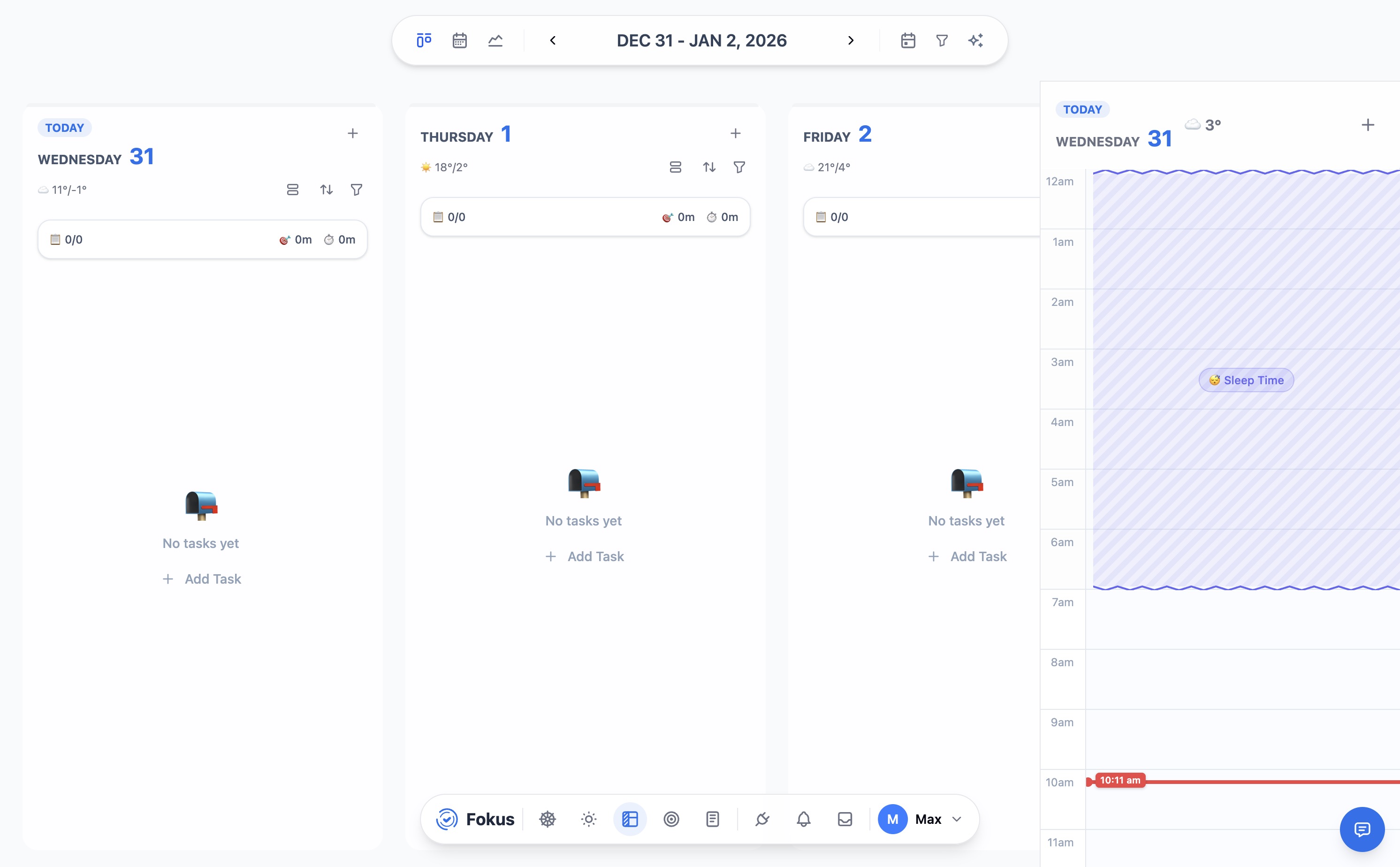
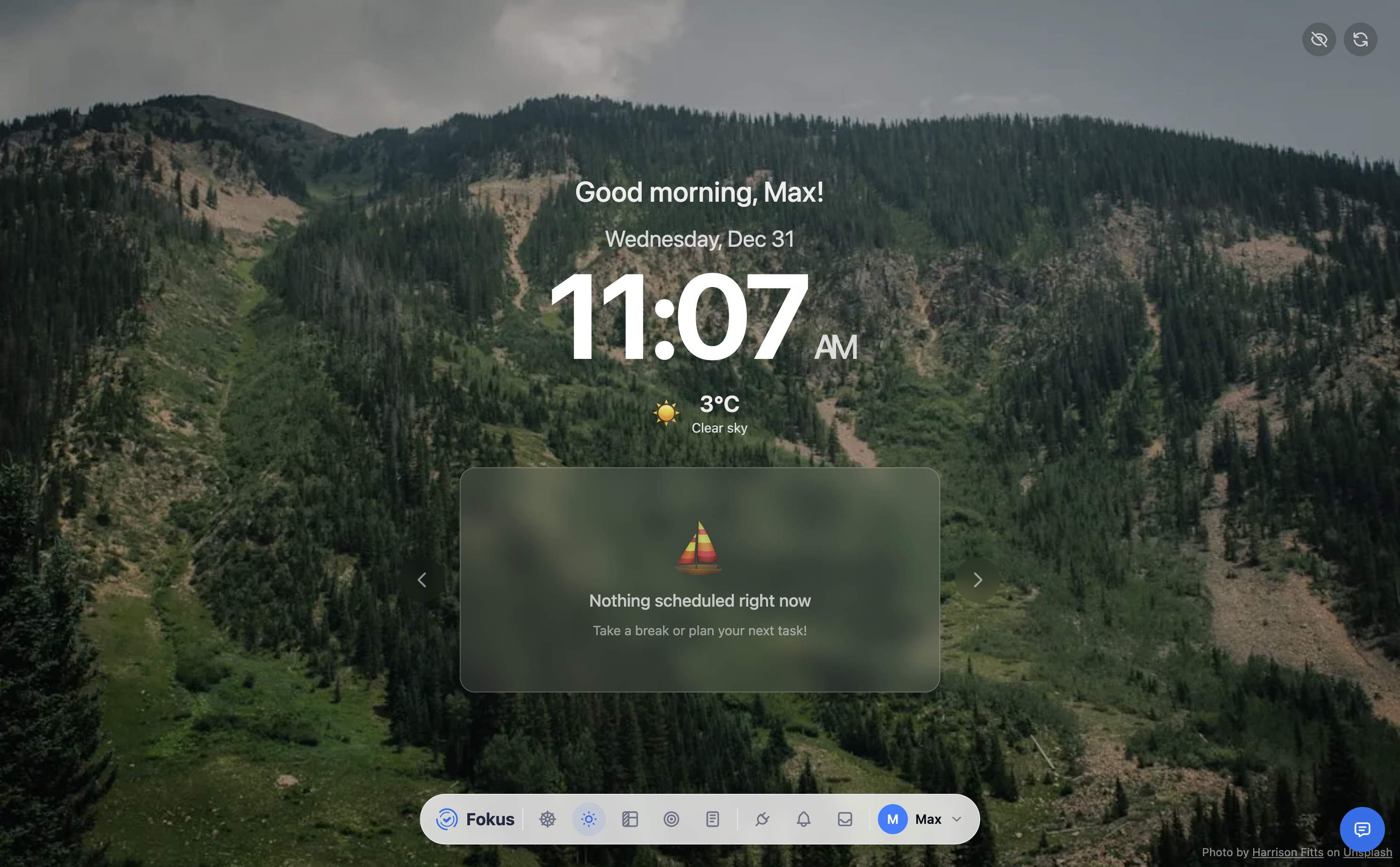
📝 The Review: While we love tools like Todoist and Notion, we often find ourselves jumping between five different apps to figure out what to do next. Why not try a new approach? Fokus, is an app that acts as a central command center for your life.
Fokus connects to the tools you already use—Jira, Asana, Notion, GitHub, Gmail, Todoist and many others — pulling everything into one unified view.
But it doesn’t just list your tasks; its AI companion actually helps you with:
- Auto-schedule your day based on priorities and deadlines and block time for your tasks.
- Set your goals (from weekly to yearly) and track progress, and easily break them down into manageable steps using AI.
- Sync events from all your calendars in one consolidated view.
- Taking meeting notes, summarizing action items, and sending follow-ups automatically.
- Importing email tasks directly into your daily plan without switching apps.
- AI agents that automatically triage your email and slack messages, highlighting what needs your attention, also transcribing meetings and generating action items as tasks.
- Quick capture of ideas, tasks, and notes from anywhere and create tasks using natural language NLP.
- Detailed analytics on how you spend your time, helping you identify productivity leaks.
- Timer (with Pomodoro and continuous modes) to track time spent on tasks and projects.
- Notion-like editor to create rich documents, wikis, and knowledge bases, fully integrated with our AI assistant and a whiteboard for brainstorming and visual thinking. it’s mainly replacing many apps in this list and make all your data connected and easy to surfacing in one place.
💰 Cost:
- Free during beta at getfokus.com.
6. TickTick 🧰
The “All-in-One” Powerhouse
 📝 The Review: If Todoist is a scalpel, TickTick is a Swiss Army Knife. It combines a to-do list, a calendar, a habit tracker, and a Pomodoro timer into one app. You can use this when you want to time block your day—dragging tasks directly onto the calendar to see if you actually have time to do them.
It also has a feature called “Annoying Alert” which… well, it does exactly what it says. If you really need to get something done, it will pester you until you check it off.
✨ Our Favorite Features:
- Calendar View: See your tasks and events side-by-side.
- Habit Tracker: Don’t need a separate app for “Drink Water.”
- Eisenhower Matrix: Automatically sorts tasks by urgency/importance.
💰 Cost:
- Free: Basic features.
- Premium: ~$35.99/year (approx. $3/month).
7. ClickUp 🧩
The “Everything App” for Power Teams
 📝 The Review: We love the ambition of ClickUp. It tries to do everything—tasks, docs, chat, whiteboards—and for the most part, it succeeds. It’s the ultimate playground for teams that want to design their own perfect workflow. The “Everything View” is a lifesaver for the managers who need to oversee tasks across multiple departments without jumping between tabs.
However, be warned: with great power comes great complexity. It took us a little while to tame the beast and configure the views just right, but once we did, it became a productivity powerhouse. If you run an agency or a complex operation, the customization is unmatched.
✨ Our Favorite Features:
- Everything View: A high-level dashboard of every task in the entire workspace.
- ClickUp Brain: An AI that connects your tasks, docs, and people to answer questions like “What is the status of the Q3 launch?”.
- Docs & Whiteboards: Built right in, so you don’t need separate apps for brainstorming.
💰 Cost:
- Free: Extremely generous free plan.
- Unlimited: ~$7/user/month.
- Business: ~$12/user/month.
8. Motion 🤖
The AI Executive Assistant

📝 The Review: Motion promises to “plan your day for you,” and it mostly delivers. You can dump your tasks and meetings into it, and its AI algorithm shuffles your calendars to fit everything in. If a meeting runs late, it automatically re-prioritizes your entire schedule.
You can use this during your busiest weeks when you can’t spare the mental energy to play “Calendar Tetris.” It’s expensive, but for the anxiety relief alone, it can be worth it.
✨ Our Favorite Features:
- Auto-Scheduling: It decides when you should do a task.
- Project Management: Good for small teams who hate manual planning.
- Booking Links: Replaces Calendly for scheduling meetings.
💰 Cost:
- Pro AI: ~$29/month (billed annually).
- Business AI: ~$39/user/month.
9. Opal 🚫
The “Doomscroll” Blocker
 📝 The Review: We have a love/hate relationship with social media. Opal is the strict parent we need. It blocks apps like Instagram and TikTok during our work hours. Unlike the built-in Screen Time on iPhone (which is easy to ignore), Opal is hard to bypass.
You can turn on “Deep Focus” mode when you need to write, and suddenly your phones are just phones again. It has saved you countless hours of mindless scrolling.
✨ Our Favorite Features:
- Deep Focus: Impossible to turn off until the timer ends.
- Schedules: Automatically block apps during work hours (9–5).
- Focus Score: Tracks how much time you’ve saved.
💰 Cost:
- Free: Basic blocking.
- Pro: ~$8,29/month. (billed annually).
- Lifetime: $399 one-time.
10. Perplexity 🔎
The Research Speedster

📝 The Review: Google is great, but clicking through ten blue links to find a simple answer is so 2020. Perplexity is the new default for research. You ask it a question, and it reads the web and writes a summarized answer with citations.
You can use it to draft blog outlines, find software comparisons, or understand complex topics quickly. It saves you the “tab fatigue” of opening a dozen pages just to find one stat.
✨ Our Favorite Features:
- Citations: It links to sources so we can verify facts.
- Copilot: It asks clarifying questions to get better answers.
- Collections: Organize search threads into projects.
💰 Cost:
- Free: Very capable.
- Pro: $20/month (access to smarter AI models).
Conclusion ✅
One size definitely doesn’t fit all. If you’re a tinkerer, you’ll love Obsidian. If you just want to be told what to do, Motion is your friend. And if you’re looking for a fresh way to unify all your apps, keep an eye on Fokus.
Did we miss your favorite app? Let us know what you’re using to stay sane in 2026! reach out on Twitter or send us an email at content@getfokus.com.