Best Daily Planner App for Professionals (2026 Guide)
Get the next article and product update in your inbox
Short product notes, fresh blog posts, and focus systems. No noisy sequence.

For modern professionals, the calendar is no longer just a record of meetings. It is a battleground for focus. Finding the right daily planner app has become a critical decision, yet the market is crowded with simplistic to-do lists that collapse under the pressure of cross-time-zone collaboration, sudden meeting conflicts, and enterprise workflows.
At Fokus, we know professionals do not need a digital version of paper. They need an intelligent system that reduces decision fatigue. To understand what actually works, our team spent three months testing more than 20 top-rated planner apps in high-stress, real-world professional environments.
This guide breaks down how daily planning evolved, why enterprise security now matters as much as usability, and which apps stand out for different professional roles.
The evolution of the daily planner app: from paper to AI
The way people manage time has changed radically. Not long ago, the standard workflow was a paper planner or a static digital task list. Everything had to be entered manually, prioritized manually, and re-scheduled manually.
Today, AI changes the equation.
Behavioral psychology has long warned about decision fatigue: the decline in decision quality after repeated choices throughout the day. Roy Baumeister’s foundational research helped popularize the idea that willpower and cognitive capacity are finite resources.
That matters because many professionals burn those resources before real work even starts. If the first 45 minutes of your day are spent dragging tasks, recalculating time zones, and deciding what should happen first, you are draining the exact cognitive energy needed for high-value execution.
Modern AI planners remove much of that burden. By understanding your habits, deadlines, and meeting load, they act more like an executive assistant than a calendar app. The goal is simple: preserve your mind for execution, not planning admin.
Why traditional to-do lists are costing you time every week
The biggest flaw in traditional task managers is not that they are digital. It is that they are static.
A flat list of 15 tasks says nothing about the fact that you may only have 2.5 free hours between calls. It does not account for your actual day, your context, or your energy. That mismatch leads directly to the planning fallacy: overestimating what can be accomplished and ending the day feeling behind.
It gets worse when the schedule changes. If a meeting runs late in a traditional planner, the whole system breaks. You are forced to manually move tasks, rethink deadlines, and negotiate with your calendar all over again.
An AI daily planner behaves differently. If a client call runs 30 minutes long, the planner can immediately re-evaluate your remaining workload, identify what still fits, decide what should move, and rebuild the afternoon. In practice, that can return hours of administrative time each week and create more room for deep work protected by features like Focus Time Protection.
How we tested the best daily planners for professionals
To recommend the best daily planner app with confidence, we did not just browse features and screenshots. We stress-tested 20 leading apps over a 90-day period using simulated high-pressure professional scenarios.
Our methodology focused on four areas:
- The sudden conflict test: We created overlapping meetings and late-running appointments to see how well auto-scheduling adapted without manual intervention.
- Enterprise integrations: We evaluated how reliably apps synced with complex stacks, especially Jira, Salesforce, Microsoft Teams, and Slack.
- Cross-time-zone collaboration: We simulated workflows between New York, London, and Tokyo to test how planners handled shared blocks and handoffs.
- Cognitive load: We scored interface clarity. A tool designed to reduce overwhelm should not require a painful learning curve.
Top 7 daily planner apps ranked by professional workflow
Many comparison articles list 10 to 18 apps without considering who they are actually for. That is not useful. We ranked the tools below by the kinds of professionals who benefit most from them.
1. Fokus: best for hybrid teams and deep integrations
We are obviously close to the product, but the testing still surfaced a clear pattern. Fokus performed best when schedules were complex and work lived across multiple systems.
Why it wins: Fokus excels at pulling context from tools like Jira and Salesforce and turning that information into a structured daily plan. Its AI auto-scheduling engine continuously adapts around real calendar constraints instead of treating tasks as abstract checklist items.
Best for: Digital workers juggling many tools, operations managers coordinating moving parts, and hybrid teams that need protected focus blocks without losing responsiveness.
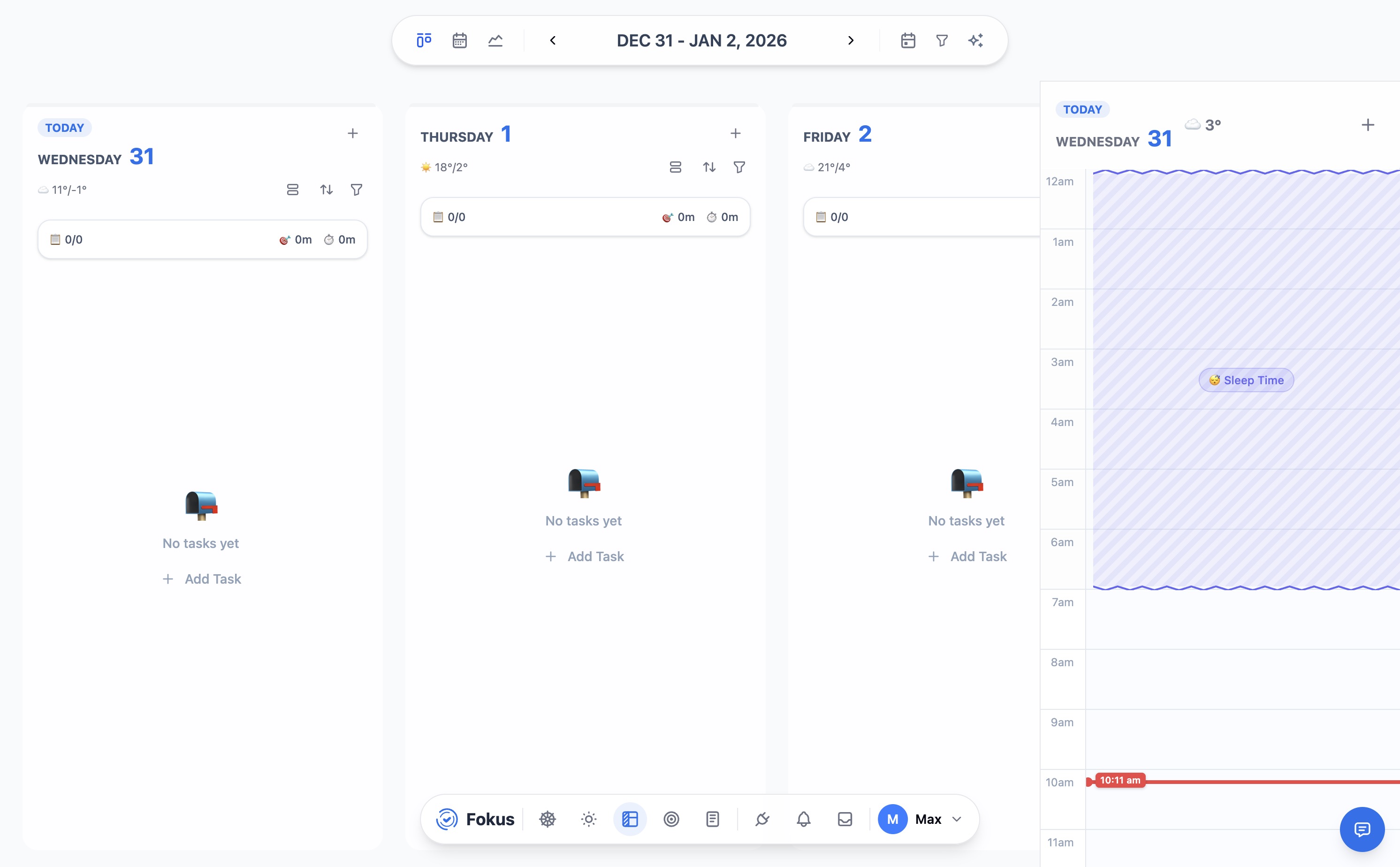
Fokus kanban view.
2. Motion: best for sales-heavy schedules
Motion is strongest for professionals whose calendars are dominated by external meetings.
Why it wins: Motion aggressively protects your time and rebuilds the day around calls and demos. When meetings shift, it does a good job of shuffling tasks into the remaining space.
Best for: Sales leaders, agency operators, and client-facing professionals with volatile schedules.
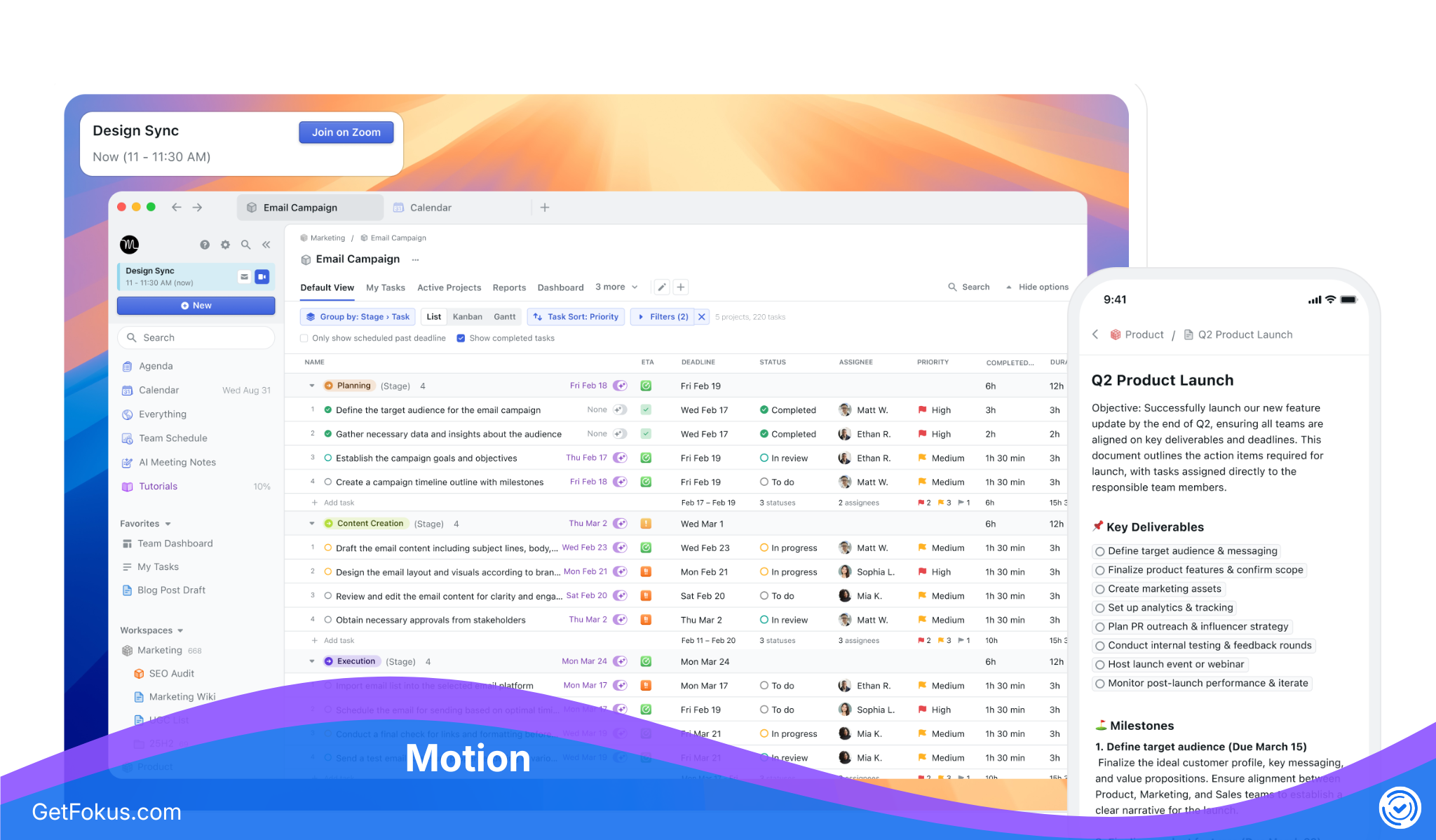
Motion scheduling interface.
3. Sunsama: best for mindful planning and product managers
Sunsama focuses less on raw automation and more on intentional daily planning.
Why it wins: It guides users through a deliberate planning ritual and pulls in tasks from tools like Slack, Asana, and Trello. Its emphasis on realistic estimation is useful for professionals who routinely overload themselves.
Best for: Product managers, remote workers, and people who want more structure without surrendering total control.
4. Structured: best for visual thinkers and freelancers
Structured is compelling because it makes the day easy to see.
Why it wins: Its vertical timeline combines tasks and calendar items into one visual flow, which makes it intuitive for people who think best when the whole day is laid out clearly.
Best for: Creatives, designers, freelancers, and people with ADHD who benefit from highly visual planning.
5. TickTick: best for solopreneurs and habit systems
TickTick sits between a classic task manager and a lightweight productivity suite.
Why it wins: It combines tasks, habits, timers, and prioritization views such as the Eisenhower Matrix into one affordable package.
Best for: Solopreneurs and independent professionals who want strong utility without enterprise pricing.
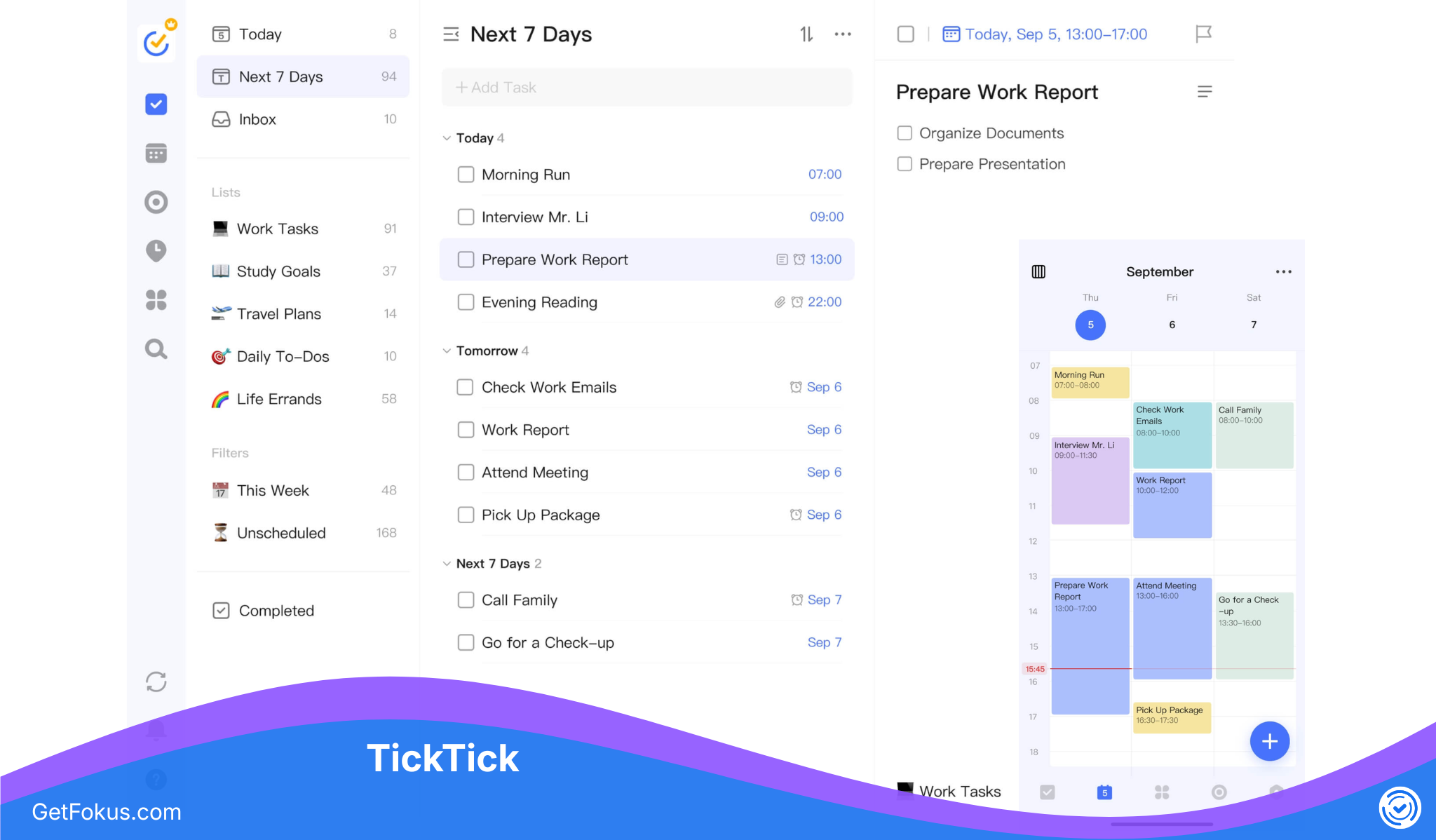
TickTick calendar and task view.
6. Akiflow: best for startup founders who optimize for speed
Akiflow is designed around rapid capture and keyboard-driven workflows.
Why it wins: Its command interface makes it easy to turn email, Slack messages, and loose thoughts into scheduled tasks quickly, which is valuable in fast-moving environments.
Best for: Startup founders and operators who need to capture and triage information at high speed.
7. Todoist: best for minimalists
Todoist remains one of the cleanest task managers on the market.
Why it wins: Its natural-language input is excellent, and it stays simple without becoming useless.
Best for: Professionals moving from paper or anyone who wants a low-friction digital system without heavy automation.
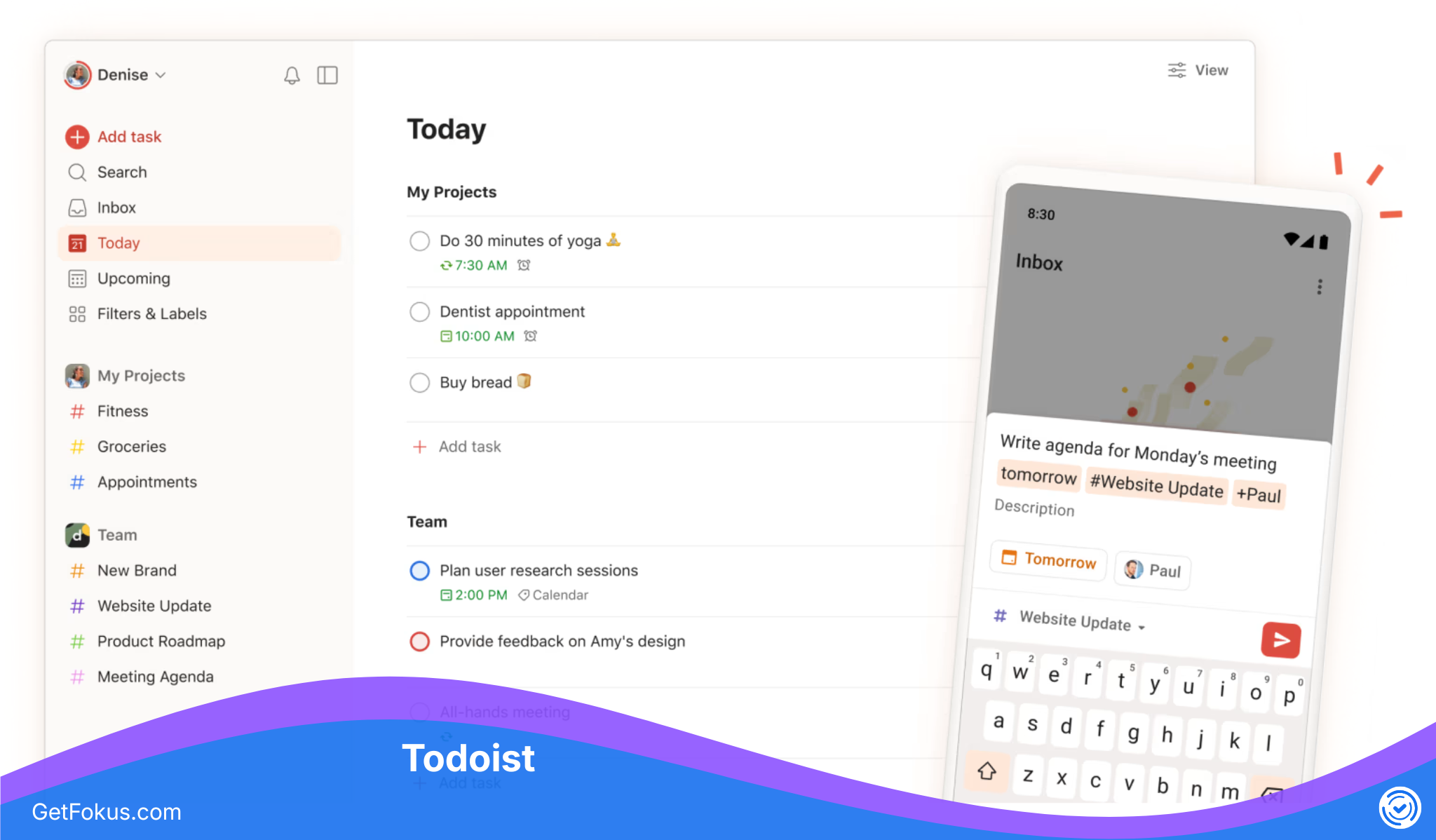
Todoist task management interface.
The security factor: are AI planners safe with your calendar data?
Security is the issue many reviews skip, but professionals should not.
To automate your day, an AI planner typically needs access to task descriptions, meeting titles, attendee context, and working patterns. For enterprise users, that creates a serious question: what happens to that data?
Some consumer tools use metadata in ways that are unacceptable for teams working under NDAs, legal constraints, or sensitive financial conditions. That is why enterprise-grade security cannot be a side note.
When evaluating a planner, look for:
- SOC 2 Type II compliance
- Strong encryption for stored task and calendar data
- Clear zero-data-retention or restricted-retention policies for AI processing
- Transparent documentation about model providers and data handling
At Fokus, task and calendar data is encrypted in transit and at rest, hosted in the EU, and never used to train AI models. The AI providers we send content to are named in our privacy policy. We are not SOC 2 certified today — if that is a hard requirement for you, tell us and we will tell you where we are.
Must-have features in a modern daily routine app
If you evaluate planners yourself, do not get distracted by surface-level polish. These are the features that matter most:
- Bidirectional calendar syncing: The app should work with both Google Workspace and Microsoft Outlook without creating duplicate chaos.
- Dynamic rescheduling: It should automatically repair the day when meetings run long or priorities change.
- Contextual integrations: It should pull in work from Slack, Teams, Jira, Asana, or similar tools without forcing manual copy-paste.
- Work-life boundaries: It should let you define scheduling limits so the AI does not treat your entire evening as available capacity.
How to transition to an AI-powered schedule without losing control
Moving from manual planning to AI support can feel uncomfortable at first. The easiest way to make it stick is a phased rollout.
Phase 1: audit and connect
Start with your main work calendar and one core task source such as Jira or Asana. Do not connect every personal system at once.
Phase 2: trust the buffer
AI planners are often more efficient than humans are comfortable with. Add 15-minute meeting buffers or transition gaps so the calendar does not become too compressed.
Phase 3: contextual task delegation
Once the base workflow feels stable, use higher-order features like contextual task delegation to distribute action items created during meetings and collaborative work.
Frequently asked questions
What is the best daily planner app for professionals?
The answer depends on role, risk profile, and tech stack. For hybrid teams with deep tool dependencies, Fokus is particularly strong. For meeting-heavy client work, Motion may fit better. For mindful individual planning, Sunsama is often a good choice.
How do AI daily planners differ from traditional task managers?
Traditional task managers are static. They store tasks but do not understand your actual time constraints. AI planners are dynamic. They evaluate duration, availability, priorities, and meetings to actively build the day.
What happens when a meeting runs late?
An AI planner can re-calculate the rest of the day, push lower-priority work, and create a new realistic schedule automatically. That is one of the clearest differences between AI planning and manual planning.
Can daily planner apps securely sync with Google Workspace and Outlook?
Yes, the strongest tools support secure bidirectional syncing with both. But enterprise users should still verify compliance standards and privacy controls rather than assuming the integration is safe by default.
Are daily planner apps worth the subscription cost?
For most professionals, yes. If a tool removes even a few hours of weekly scheduling overhead, the return is meaningful in reclaimed time, reduced context switching, and lower cognitive fatigue.
Embracing an AI-powered daily planner is no longer just a productivity trick. For many professionals, it has become a practical requirement for protecting focus and doing high-quality work in a fragmented environment.

Lina Hayek
Productivity & Workflow Writer
Lina writes about time management, deep work, and building sustainable routines. She has helped thousands of professionals rethink their relationship with productivity.